
Closing Shift Roblox Multiplayer: Play With Friends Guide
Play Closing Shift Roblox with friends: co-op size, the 50-player server cap, shared escape goals, voice chat, and the NOT ON MY WATCH badge.
How do you play Closing Shift Roblox with friends?
Join the same Roblox server and share one night in the sealed restaurant. DoggyTroug’s description sets the same task for every player in that run: find four keys, learn the four-digit code, and call the elevator back. Friends mainly change how you divide searching, camera watch, and callouts—not what winning looks like.
The developer advertises “Solo or with up to 10 friends.” Roblox’s public game data on 8 Nov 2026 also reports maxPlayers: 50. We list both below and do not reconcile them; they answer different questions.
| Figure | Source | Plain reading |
|---|---|---|
| Up to 10 friends | Developer’s Roblox description | Advertised co-op size for one escape run |
| 50 players | Roblox game listing (8 Nov 2026) | Maximum accounts allowed in one server instance |
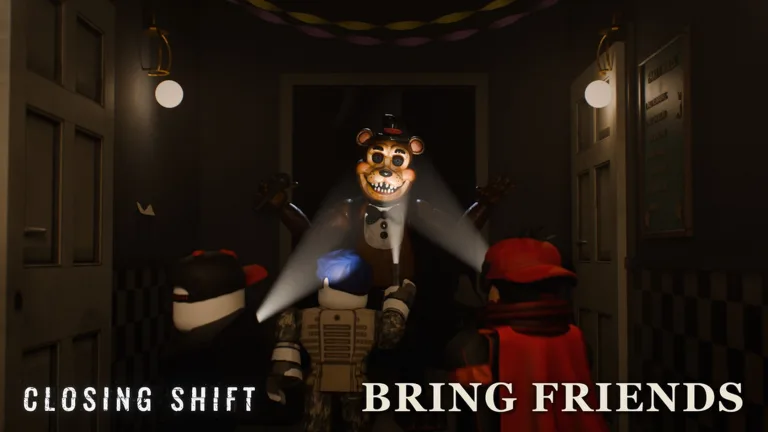
Official Roblox promo art.
One English player guide phrases the co-op line as you plus up to nine friends (ten in the run). That matches the official “ten in the party” reading; it is not a second cap from Roblox.
For key hunts and the code, use the four keys guide and elevator code page. For step order, see the full walkthrough.
What stays the same solo or in a group?
The developer’s description names the same cast and survival rules either way:
- Freddy, Bonnie, Chica, Foxy, Golden Freddy, and Fredbear hunt by their own rules.
- Hide in closets, crawl the vents, barricade doors (mascots kick barricaded doors in).
- Keep your light on Foxy’s face when he is the threat.
- If you hear singing, don’t leave the room.
- Ask the Puppet at the security desk for help and watch the cameras.
Solo players handle every role. A group can park someone on cameras while others sweep for keys and code scraps.
How does voice chat change a group run?
The THEY CAN HEAR YOU bullet targets Roblox voice chat. Coordinating keys out loud means animatronics may hear that traffic. “Say the right thing and they may let you go” is conditional, not a guarantee.
See voice chat for how teams handle that risk. The description also says play with headphones, which helps you catch singing and other cues while friends talk.
Which badge needs another player?
NOT ON MY WATCH is the clearest multiplayer unlock on the badge list. Roblox’s line on 8 Nov 2026 is: Save a friend the squatter is dragging away.
CAMERA SHY covers flashing the squatter away on cameras; NOT ON MY WATCH covers pulling a teammate free mid-drag. Both sit on the all badges page with live award counts.
Roblox counted 7,781 players with NOT ON MY WATCH as of 8 Nov 2026 (total awards, not a difficulty rating).
Play at Closing Shift on Roblox. Use Roblox’s normal join-a-friend flow to land in the same server.
What we could not confirm
We do not publish private-server rules, party-matchmaking limits inside a fifty-player instance, or whether every server mixes unrelated escape groups. Those need dated, matching sources beyond the description and the maxPlayers field.
FAQ
Can you play Closing Shift Roblox with friends?
Why does Roblox show 50 max players for Closing Shift?
Do animatronics hear your group on voice chat?
What is the NOT ON MY WATCH badge in multiplayer?
Is Closing Shift Roblox harder solo or with friends?
Related Articles
animatronics
Closing Shift Roblox Chica: Kitchen Survival (2026)
Closing Shift Roblox Chica ties to Chica's kitchen in FIVE-STAR SERVICE. Official survival: closets, vents, barricaded doors, and voice chat awareness.
animatronics
Closing Shift Roblox Foxy: Keep Light on Face (2026)
How Closing Shift Roblox handles Foxy: keep your flashlight on his face when he approaches, earn STAND YOUR GROUND, and fall back to hiding if you must.
animatronics
Closing Shift Roblox Fredbear: TIGHT SQUEEZE Facts
Closing Shift Roblox Fredbear: survive him squeezing into your room for TIGHT SQUEEZE. Official hunter list, voice chat, closets, vents, and barricades.
Was this helpful?
Thanks for the feedback!